Class details
Attribute Class: Analytica Object Types
Each object in Analytica has an associated class, which is encoded within its Class attribute. On an influence diagram, the shape of the object's node reflects its class.
An object in Analytica is an entity that has a class, an identifier and attribute values. Simple values like numbers and text values are not Analytica objects, so they do not have an associated class, nor do they have attribute values. Also, local variables are not objects (and thus, have no attributes). But most other things in Analytica are objects, and thus have an associated class. You can examine the class of any object by looking at its class attribute.
Variable Classes
You can change the class of any object in this group, but only to a class also belonging to this group. For example, you can change a Chance variable to a Decision, but you can't change a Chance variable to a module.
- Variable


- Decision


- Chance


- Objective


- Constant


- Determ


- Index


- Constraint (Optimizer)


- Gradient (Optimizer)


Module Classes
- Module


- LinkModule


- Model
- Library


- LinkLibrary


- Form
Function Classes
- Function
- User-Defined Function


- SysFunction
- Built-in function
- PluginFunction
Graphical Object Classes
- Text
- Picture
- Alias
Form controls
- FormNode
- An input or output node (created via Make Input Node or Make Output Node on the Object menu.
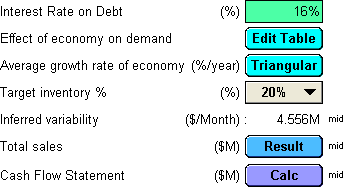

- Button


Non-visible Types
These types may appear in your model, but do not show up visually on an influence diagram.
- Attribute
- User-Defined Attributes and system defined attributes both are instances of the Attribute class.
- GraphStyleTemplate
- These are defined from the graph setup dialog, and are used to package common graph style settings.
System types
- Attribute
- Command
- Keyword
- Object
- Every Analytica object has a class -- one of the labels listed on this page. The classes themselves exist as Analytica objects, each of them having the class Object.
- SysVar
Internal use only
The classes in this section are not directly usable as a modeler in Analytica. They are either placeholders for future features, deprecated features, or features used only internally by Analytica.
- ActiveX
- ExcelWorkbook
- LocalVar
- Version
Listing all objects of a given
From typescript, you can obtain a listing of all object classes by typing:
List Object
You can also list all objects that have an indicated class using the List command, e.g., the following shows all decision variables:
List Decision